
Martin Kelly, Founder of Botonomy, recorded this reel’s voiceover twice on a laptop, and he still believes the first three seconds of a video ad matter more than whichever model rendered the other fifty-seven.
We shipped a 60-second reel built with AI video ads tooling: a script drafted with AI and cut down by me, motion graphics built in Higgsfield, my own voice cleaned up in Descript Studio Sound, and every cut timed by software to the words I spoke. I directed and reviewed every pass. That last part matters most.
I went looking for a decent practitioner write-up before we started. Most AI video ad content falls into two camps. The first is tool landing pages like AdGPT and HeyGen, which promise a finished ad in minutes. The second is novelty showcases, like the YouTube “unhinged AI ad” videos and the Reddit thread about a four-week build. Neither one shows a repeatable workflow with sources.
So here’s ours. Below you’ll find the step-by-step process, what the 2025–2026 research says about performance, what Meta and Google now generate for you, and when to reach for code (Remotion) or a studio (Flowjam) instead. I’ve run paid advertising for 16+ years. This is how I’d do it again tomorrow.
In short
AI video ads are video ads where AI generates or assists with some or all of production, from script and visuals to voiceover, editing, and variants. Google Ads and Meta can now auto-generate them from your uploaded assets, but those are generic. Research says viewers often can't tell AI ads from human ones, so a human-chosen hook and strategy still decide results.
What Are AI Video Ads? (And What They Aren’t in 2026)
AI video ads are video advertisements where artificial intelligence generates or assists with some or all of the production: the script, the visuals, the voiceover, the edit, or the versioning of variants. The range runs from fully generated text-to-video clips to human-directed workflows that use AI for specific steps.
That definition covers three very different things, and people blur them constantly:
- Fully generated ads. You type a prompt and text-to-video produces the whole clip. They’re fast and cheap, and they’re the kind most likely to give your spokesperson a different face in every shot.
- AI-assisted production. A human directs, and AI handles specific steps. Our reel sits here.
- Platform auto-generated ads. Google Ads and Meta build video variants from the assets you’ve already uploaded.
The third category isn’t new. It descends from dynamic creative optimization, which assembled ad variants from interchangeable components (headlines, images, offers) long before generative video existed. The platforms swapped templates for models and kept the logic.
AI Video Ads Explained: Our 60-Second Workflow, Step by Step
Here’s the exact sequence we ran:
- Write the script and the hooks.
- Build the motion graphics in Higgsfield.
- Record the voiceover and clean it in Descript Studio Sound.
- Fit the read to 60 seconds.
- Time every cut to the voiceover.
- Build captions from the word timings.
- Make a cover that survives the profile-grid crop.
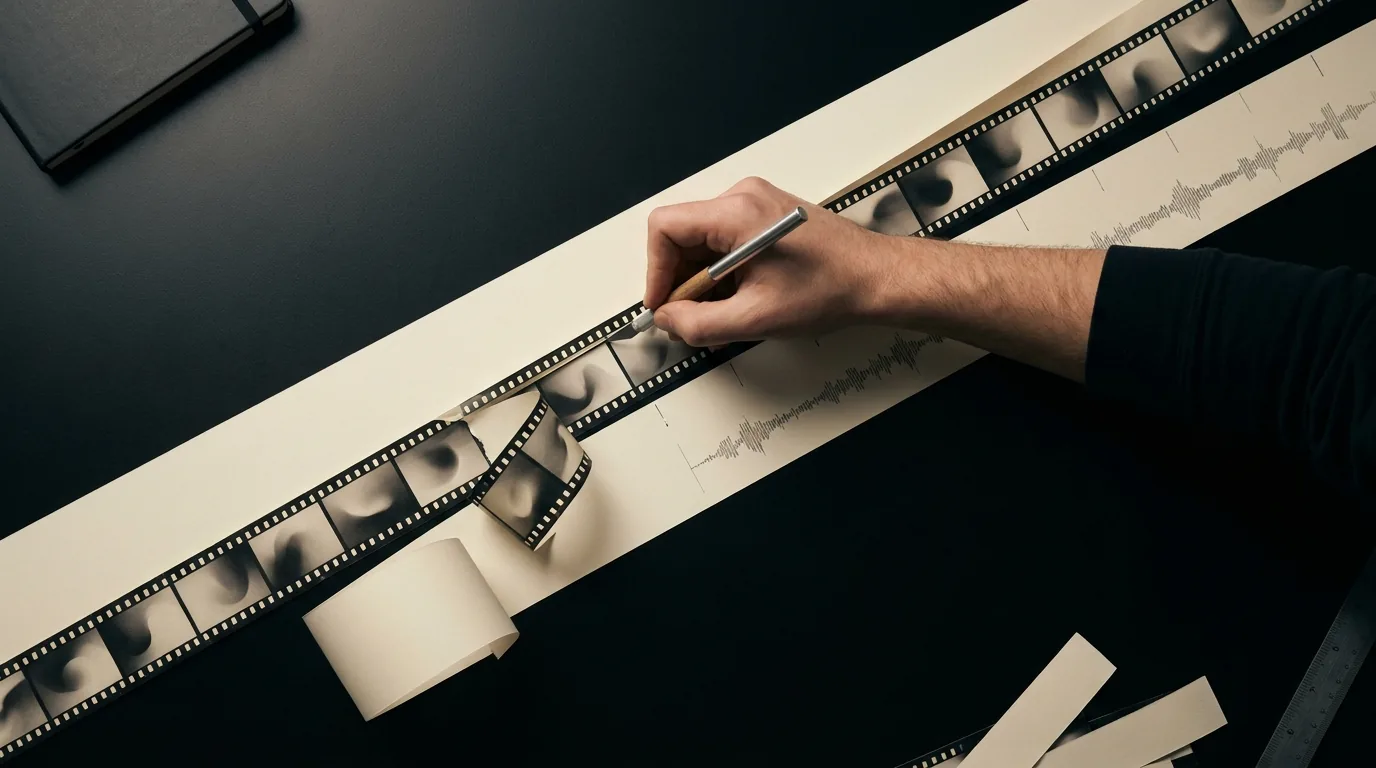
1. Script and hooks
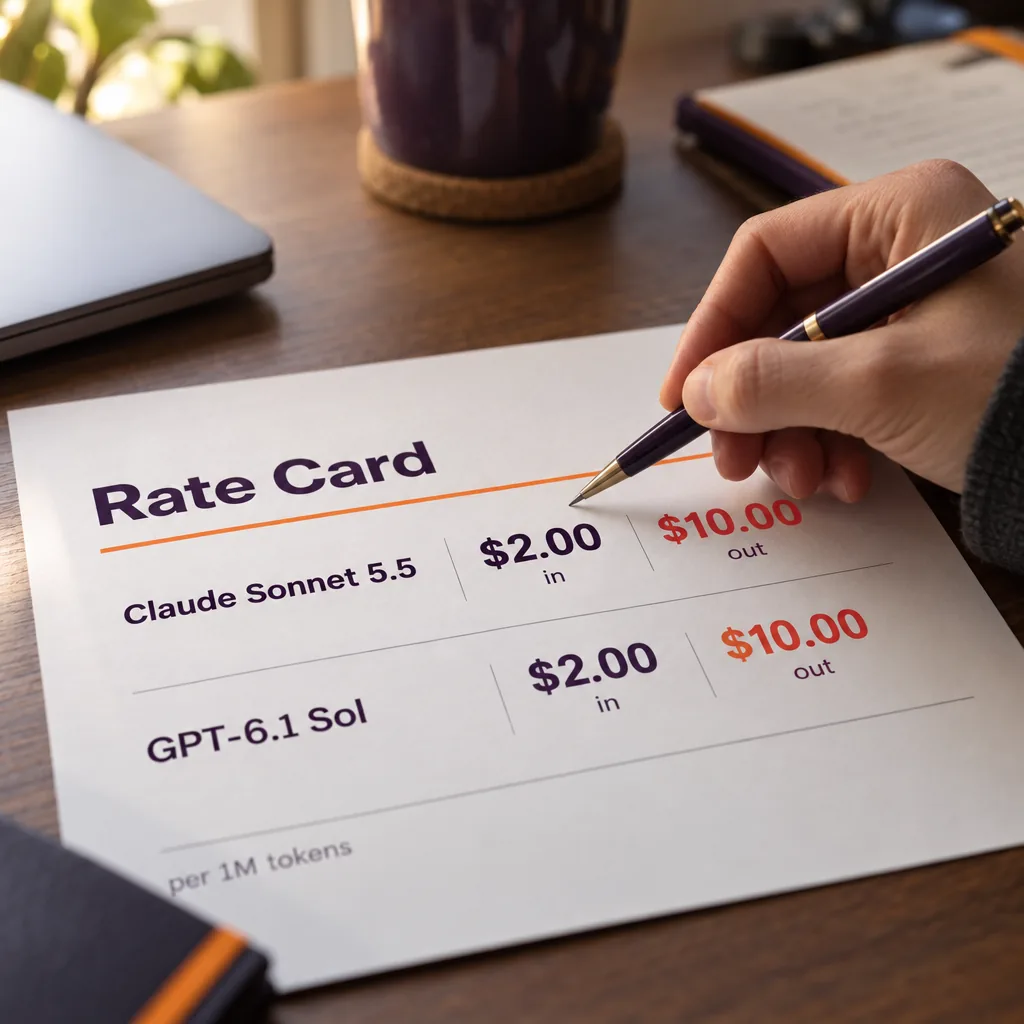
I write the script first and the hooks second, because the hook has to promise something the script actually delivers. For hook ideation, a current mid-tier model like Claude Sonnet 5.5 or GPT-6.1 Sol (each $2.00 in / $10.00 out per 1M tokens) is plenty. You’re asking for twenty bad first lines so you can find two good ones, and you don’t need the flagship model for that.
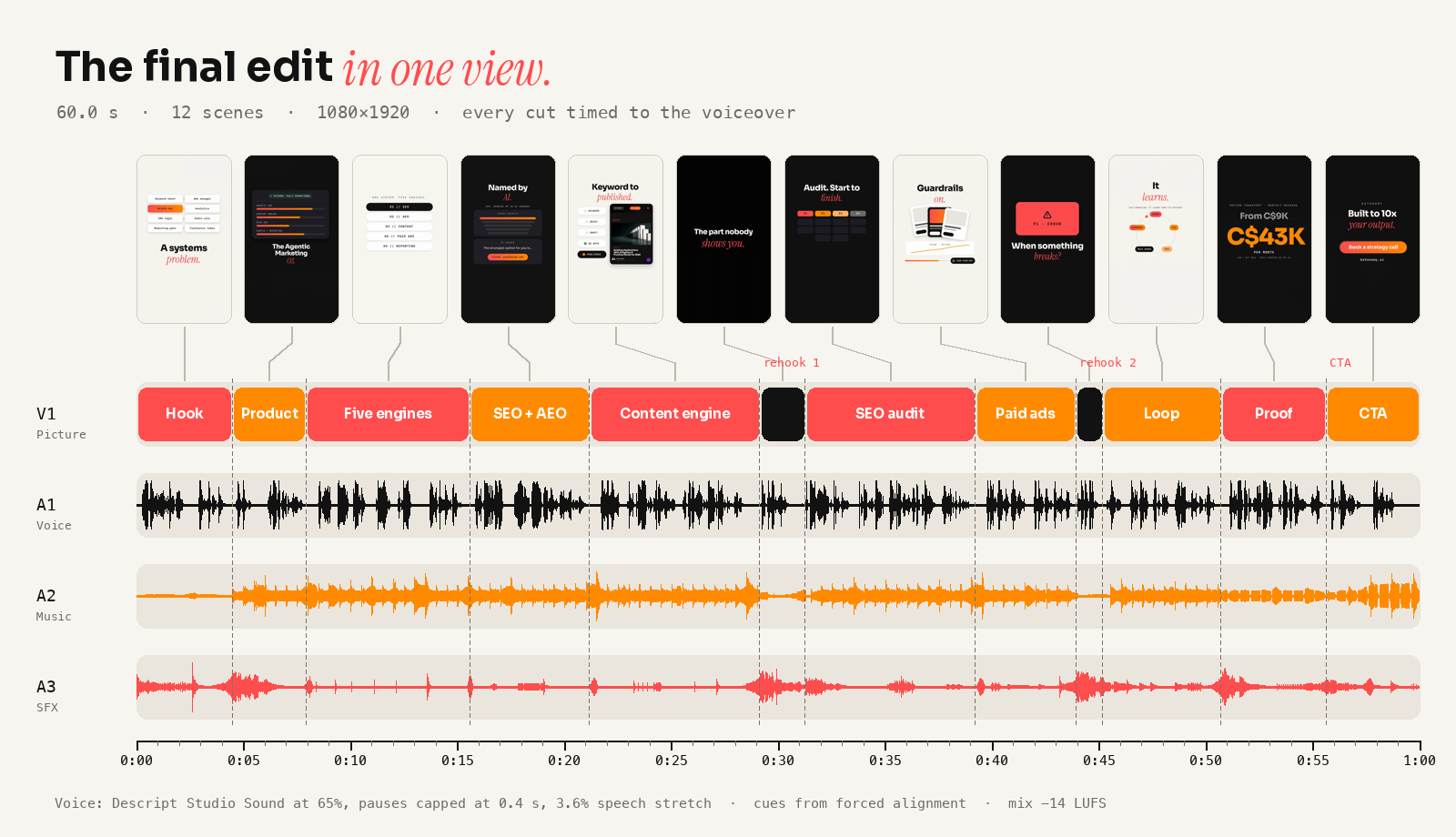
Our reel uses four: a visual hook in the first three seconds (eight scattered tools snapping into one grid while I say the problem isn’t talent), a product hook at four seconds, and two rehooks at roughly 0:29 and 0:44 (“Here’s the part nobody shows you” and “When something breaks”) to pull back viewers who start to drift. The AI draft gave me volume. I cut it to about 145 spoken words, one line per scene.
2. Motion graphics in Higgsfield
Higgsfield’s native editor built the motion graphics as code, not as generated footage: twelve scenes laid out with our brand fonts and colours, animated, and rendered at 1080×1920. Because nothing was generated frame by frame, nothing drifted off-brand, and a change meant editing the scene rather than rerolling it.
The review rounds were about craft, not prompts. My notes after the first cut: keep everything on the centre line, keep anything important out of the bottom third where the app’s buttons and captions sit, centre every label inside its pill, and put a riser under each hook so the sound tells you something is coming.
3. Voiceover cleanup in Descript Studio Sound
I recorded the voiceover as a voice memo on my laptop in an ordinary room. Studio Sound removes room echo and background noise, and it did. At full strength it also removed parts of my words. Comparing the processed track with the raw recording, it cut real voice out of 31 words, 1.9 seconds in total. At 65% it cut none, and the room still dropped away.
Raw voice memo
Studio Sound at 100%
Studio Sound at 65%
So don’t run cleanup at full strength and assume it’s fine. Listen to the small words, the “to”s and “in”s that carry your numbers, because that’s where an aggressive gate bites first.
4. Fit to 60 seconds
Our practice is hook in the first three seconds, proof in the middle, and CTA in the last five. That’s our house structure, not a law of physics. It’s also why the first cut always runs long and the trimming starts.
My first read ran past 61 seconds. Our first fix, trimming pauses by the transcript’s word timings, clipped the ends of words; I heard it and re-recorded. On the second take we trimmed only inside measured silence, capped every pause at 0.4 seconds, and found the last two seconds with a 3.6% speed-up that keeps the pitch of my voice. Nobody hears 3.6%. Everybody hears a clipped word.
5. Sync audio to picture
Every visual change should land on a word in the voiceover. Transcript word timings drifted by up to half a second, enough to make a beat land visibly early. Forced alignment, matching the script against the final audio, fixed it: every scene change and reveal now starts within a frame or two of its word. The sound effects fire about 70 milliseconds before each word, so a click never lands on a consonant. This step is unglamorous, and it decides whether the ad feels professional or “made with AI.”
6. Captions
Captions aren’t optional. A big chunk of feed viewing happens with the sound off, and an uncaptioned ad is a silent film with no title cards. Ours came from the same word timings as the picture: 26 captions, two lines at most, none longer than 31 characters so they fit a vertical frame.
7. Cover frame
The cover is a tiny ad for the ad. Ours is the Botonomy mark on our purple grid, extended to 9:16 so the mark sits inside both the 3:4 crop Instagram’s profile grid shows and a square crop. Check it on a phone at thumbnail size, which is where most covers quietly fall apart.
Do AI Video Ads Perform as Well as Human-Made Ads? What the 2025–2026 Research Says
Can viewers even tell the difference anymore? According to a study publicized through a EurekAlert release, AI-generated ads are almost indistinguishable from human-made work. If you plan to cite the sample size or method in your own deck, pull them from the underlying paper itself and don’t trust a summary of a summary.
Ipsos takes the sharper angle in its piece “AI Ads Are Good Enough — And That’s the Problem.” The argument: once “good enough” creative is cheap and everywhere, ads start to look the same, and brand distinctiveness erodes. Quality stops being the differentiator, and sameness becomes the risk.
A peer-reviewed paper on ScienceDirect looks at generative AI advertisements and human–AI collaboration, specifically how human involvement and disclosure shape how people perceive an ad. The short version for practitioners: how you frame AI’s role can affect reception, so read the paper’s own findings before you write a disclosure policy.
Culturally, the quality question is settled. Mashable has rounded up nine award-winning AI-generated ads, which tells you the production ceiling is no longer the barrier.
My read after 16+ years in paid media: AI closed the production gap, and strategy didn’t get any easier.
I’m not quoting any performance lift here. I couldn’t trace one to a primary source, and I’m not going to make one up for a nicer subhead.
What AI Video Ads Mean for Advertisers: Meta and Google Now Auto-Generate Them
Both major ad platforms will now build video ads for you whether you asked or not. Google’s Help Center page “About auto-generated video ads” explains the mechanics. When a campaign lacks video assets, Google Ads can generate videos from your existing images, logos, and text, and you can review them and control or opt out of auto-generated video in campaign settings. Check that page for the current controls, because Google moves these toggles around without much notice.
Meta offers generative AI creative features inside Ads Manager, under its Advantage+ creative umbrella, which adapt and vary your uploaded assets automatically. Feature names and availability change often, so confirm the current list in Meta’s Business Help Center before you plan around any one of them.
So what does this mean in practice? Platform auto-generation is fast and generic. It works from your assets with no idea which hook your customers respond to. A directed workflow wins when the brand needs a specific hook, voice, or proof point.
Auto-generated variants still make useful testing fodder. Put your directed creative against the platform’s variants inside the same ad set and let spend decide. If you’d rather not babysit that, we run it through an AI paid ads agent that manages testing across Meta and Google.
AI Video Ad Tool Costs in 2026: Runway, Synthesia, and Free Generators
Vendor pricing changes faster than blog posts get updated, so I’m not quoting a single vendor price from memory. Here’s the stack, with links to the live pages:
| Tool | Best for | Pricing model | Watermark on free tier | Verified date |
|---|---|---|---|---|
| Runway | Text- and image-to-video generation | Tiered subscription, see current pricing | Check live page | Check live page |
| Synthesia | AI avatar presenter videos | Free and paid plans, see current pricing | Check live page | Check live page |
| HeyGen | Avatar and talking-head ads | Subscription, see current pricing | Check live page | Check live page |
| Higgsfield | Stylized motion graphics | Credits/subscription, see current pricing | Check live page | Check live page |
| Descript | Voice cleanup (Studio Sound), editing | Subscription, see current pricing | Check live page | Check live page |
| GPT-6 Luna / Claude Haiku 5.5 | Cheap hook and script ideation | $0.10 in / $0.50 out per 1M tokens | N/A | 2026-10-13 |
On history: in 2023, Runway’s Gen-2 brought text-to-video into the mainstream. For the current Gen models, go to Runway’s live site, not a two-year-old tutorial.
Is there a free AI ad video generator without a watermark? Mostly no. Free tiers usually watermark exports, cap resolution, or limit minutes. I’d only call a tool watermark-free if its live pricing page says so, and any “100% free, no watermark” banner deserves the same suspicion as a free cruise.
When to Use Remotion, a Studio Like Flowjam, or Neither
The most expensive mistake I see is using full text-to-video generation for a hero ad. You get inconsistent characters, a product that changes shape between shots, and brand drift you only notice after launch. The Reddit four-week build shows the hidden cost well: the generation looked cheap, and the weeks of wrangling it weren’t.
Here’s my decision rule:
- Volume plus variation means code. Remotion builds video in React, so you can render dozens of templated variants (prices, locations, offers) straight from a data feed. It’s deterministic: the same input gives the same output every time. That’s the core of marketing automation built on code rather than prompts.
- Craft plus brand stakes means studio. Use a studio like Flowjam for flagship creative, complex motion design, or any time your internal hours cost more than the agency fee. If you’d rather hand the whole thing off, Flowjam’s AI video ad workflow guide shows how a studio approaches the same job.
- Speed plus low stakes means platform auto-generation. A retargeting test doesn’t need a director. Let Google or Meta generate a variant and see what happens.
If none of those fit, you probably don’t need a new video. You need a better hook on the one you have.
AI Video Ads FAQ
Is there a free AI ad generator?
Yes, with limits. Free tiers typically add watermarks, cap exports, or restrict resolution. Check each vendor’s live pricing page, which the cost table above links to, before you assume an export will be clean.
How long does it take to make a video ad with AI?
For our reel, rendering was the fast part. The time went into the voiceover: recording it, cleaning it without clipping words, fitting the read to 60 seconds, and timing every cut to it. Budget for the audio, not the generator.
Can Meta or Google make my video ad for me?
Yes. Google Ads auto-generates video from your images, logos, and text, and Meta’s Advantage+ creative features vary your assets automatically. See the platform section above for controls and opt-outs.
Do AI video ads perform worse than human-made ads?
Not necessarily. Research publicized via EurekAlert found AI ads almost indistinguishable from human work. Ipsos warns the real risk is sameness, meaning weak brand distinctiveness, not low quality.
Conclusion: Ship the Workflow, Not Just the Ad
AI makes 60-second ads cheap to produce, and a repeatable workflow is what makes them worth running. The research backs that up: when viewers can barely tell AI ads from human-made ones, production quality stops being your edge, and your hook and your process become the edge.
- Draft hooks with a cheap model and pick them yourself. The picking is the job.
- Check your voice track word by word after cleanup. Full-strength noise removal clips the small words that carry your claims.
- Test your directed creative against platform auto-generated variants in the same ad set.
Want the workflow without hiring the team? Botonomy’s AI creative studio builds and runs AI video ad pipelines end to end, from scripted hooks and templated variants to platform testing. Book a call at botonomy.ai/contact and we’ll scope your first 60-second reel.
Last updated: 2026
About the author: Martin Kelly is the Founder of Botonomy. He recorded this reel’s voiceover twice, and he still thinks the first three seconds of an ad matter more than the model that made them.